Handbook Admins can now create and update handbook sections using AI. This feature helps you quickly generate structured content based on your instructions.
How it works
AI-powered content creation: Handbook Admins can generate articles by prompting directly within a section.
Prompt-based generation: The AI model only uses the information you provide in your prompt. It does not have access to your other documents, policies, or handbook content.
Language support: Content is generated in the language you use when writing your prompt. After generation, you can choose to translate the content into another language if needed.
How to Create or Edit a Section with AI
- Open the section you want to create or update.
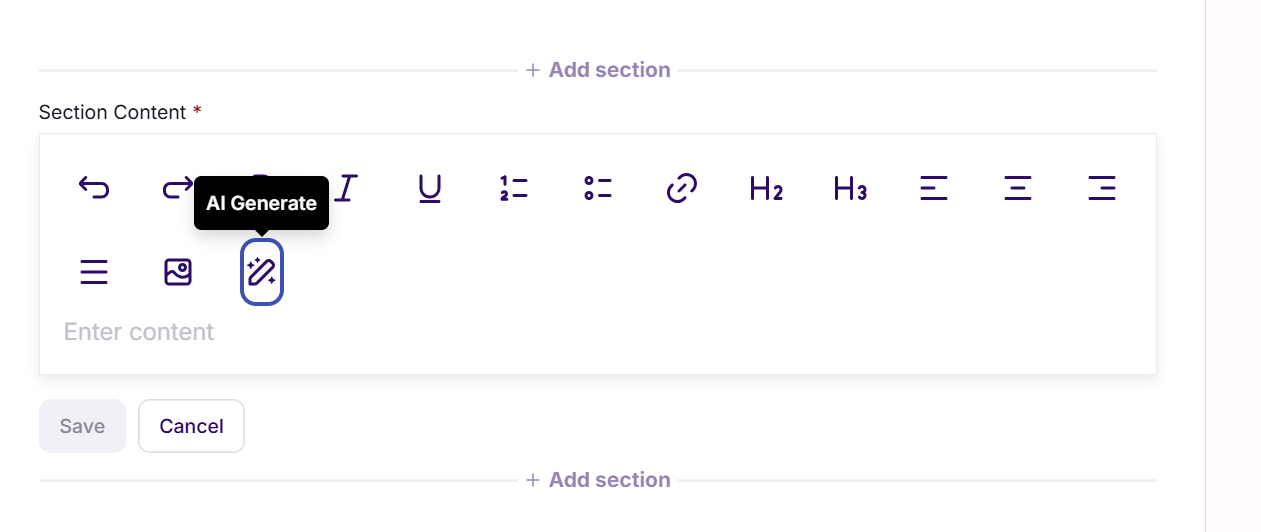
- Click AI Generate in the Section Content area.
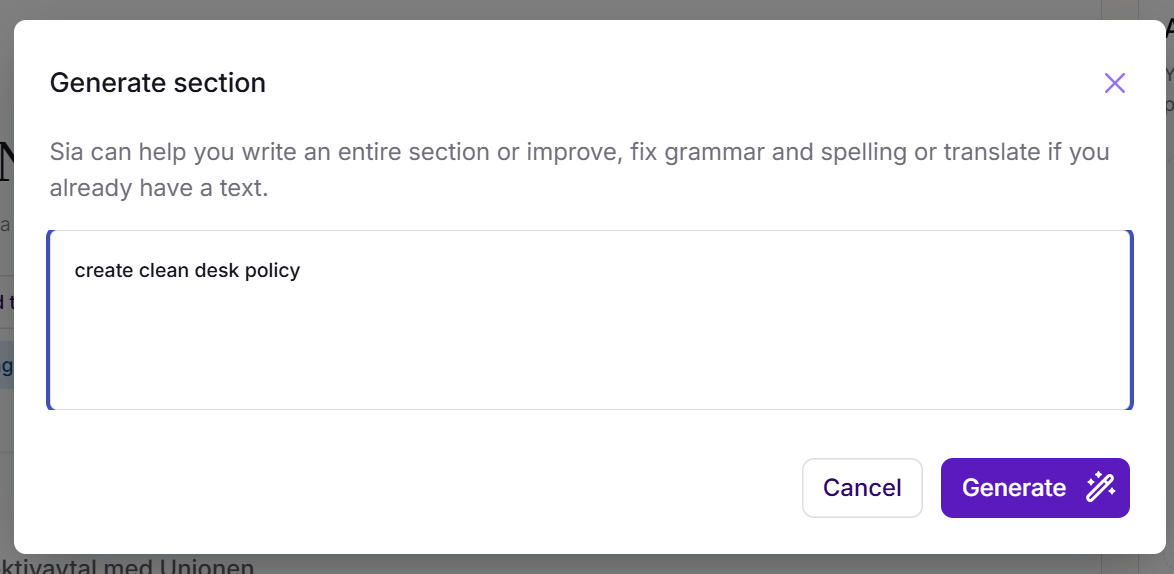
- Enter a description of what you want to create or how you want to modify the existing section.
- Click Insert to add the generated content to your section.
Tips for best result
- Be clear and specific in your prompt (e.g., include target audience, tone, structure, or key topics).
- Since Sia only works with what you provide in the prompt, include any important policy details or requirements directly in your instructions.
- Review the generated content carefully before publishing to ensure it aligns with your organization’s policies and guidelines.
Was this article helpful?
That’s Great!
Thank you for your feedback
Sorry! We couldn't be helpful
Thank you for your feedback
Feedback sent
We appreciate your effort and will try to fix the article