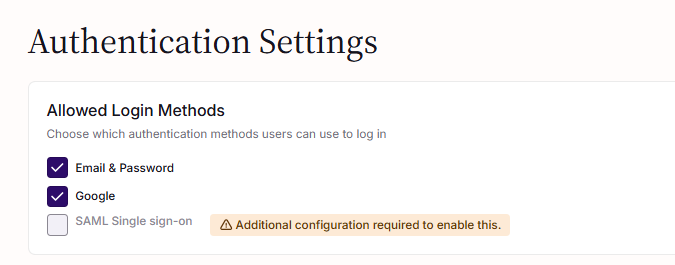
Choose which authentication methods users can use to log in to the system.
Available Methods
| Method | Description |
|---|---|
| Email & Password | Users log in with their email address and a password they set |
| Users log in with their Google account (personal or Google Workspace) |
ℹ️ For SAML Single Sign-On, see the dedicated SAML SSO guide.
How to Enable or Disable Login Methods
- Go to Settings → Authentication Settings
- Under "Allowed Login Methods", check or uncheck the methods you want to allow
- Click Save
Changes take effect immediately.
Can I enable multiple methods?
Yes. You can enable any combination of methods. Users will see all enabled options on the login page.
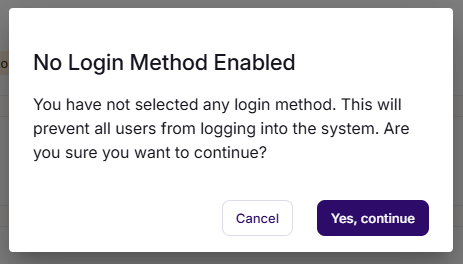
What if I disable all methods?
⚠️ At least one method must be enabled. If you try to save with all methods disabled, a warning will appear. Proceeding will lock out all users.
Related
Was this article helpful?
That’s Great!
Thank you for your feedback
Sorry! We couldn't be helpful
Thank you for your feedback
Feedback sent
We appreciate your effort and will try to fix the article