Tidsbanken Absence Import - Setup & Specifics
Organisations that track absences via Tidsbanken's time registration can import leave entries into Simployer One's Time Off module. Tidsbanken remains the master system for absence management: employees register their absences in Tidsbanken, and the import brings the data into Simployer One.
Quick facts
| What is read | Processed time entries from Tidsbanken's timeline. Only entries that have been processed in Tidsbanken are imported. |
| How codes are mapped | The Tidsbanken work type ID (arbeidstype) is used directly as the Leave type code. Configured in Simployer One only; nothing to change in Tidsbanken (see below). |
| Daily hours | Calculated from the start and end clock times registered in Tidsbanken. 7.5 hours or more = full-day absence; less = partial-day absence. |
| Grouping | Consecutive days with the same work type and the same daily hours are grouped into a single absence period. A day with different hours (e.g. a half day) starts a separate period. |
| Export counterpart | The outbound direction (Simployer One to Tidsbanken) is a separate process. See Tidsbanken Integration - Absence Data (Export). |
Map Absence Codes
The import matches each Tidsbanken time entry to a Simployer One absence type via the entry's work type (arbeidstype). Each work type in Tidsbanken has a numeric work type ID, and Simployer One uses this ID as the Leave type code. Unlike some other integrations, no configuration changes are needed in Tidsbanken. The work types your employees already use for absence registration are matched directly by their ID. The mapping is configured in Simployer One only.
In Tidsbanken
1 | Find the work type IDs used for absence Open the work type settings in Tidsbanken and note the ID (Nr) of each work type that represents an absence, for example "Ferie" (131). No changes are needed in Tidsbanken; you only need the IDs for the next step. For more detailed information on how to find and edit work types, see Tidsbanken's support page. 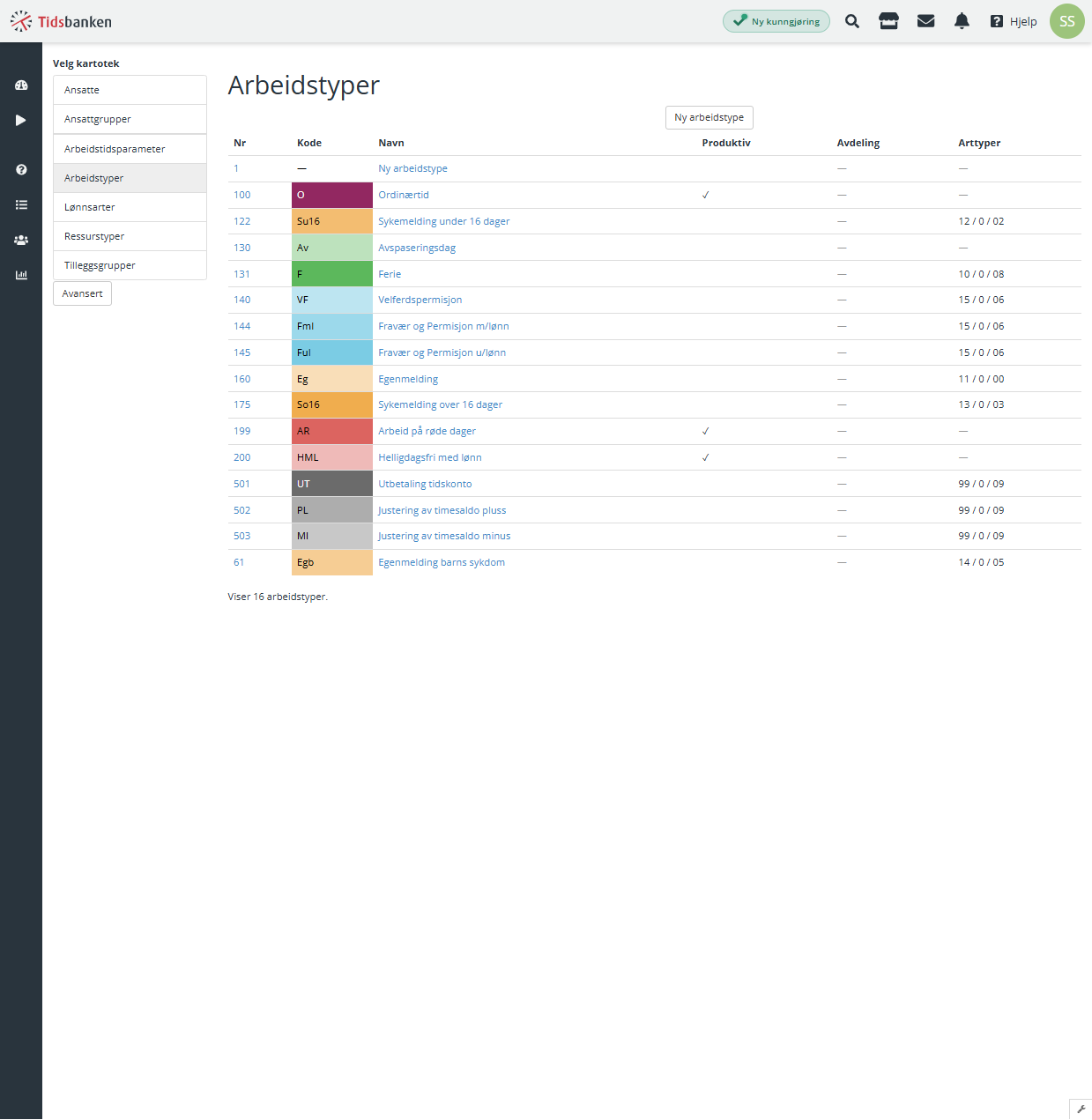 |
In Simployer One
1 | Open Time Off settings Navigate to Settings > Time off settings. |
2 | Add the Leave type code For each absence type that should be imported from Tidsbanken, enter the corresponding Tidsbanken work type ID as the Leave type code. For example, if "Ferie" has work type ID 131 in Tidsbanken, enter 131 as the Leave type code on the Vacation absence type. 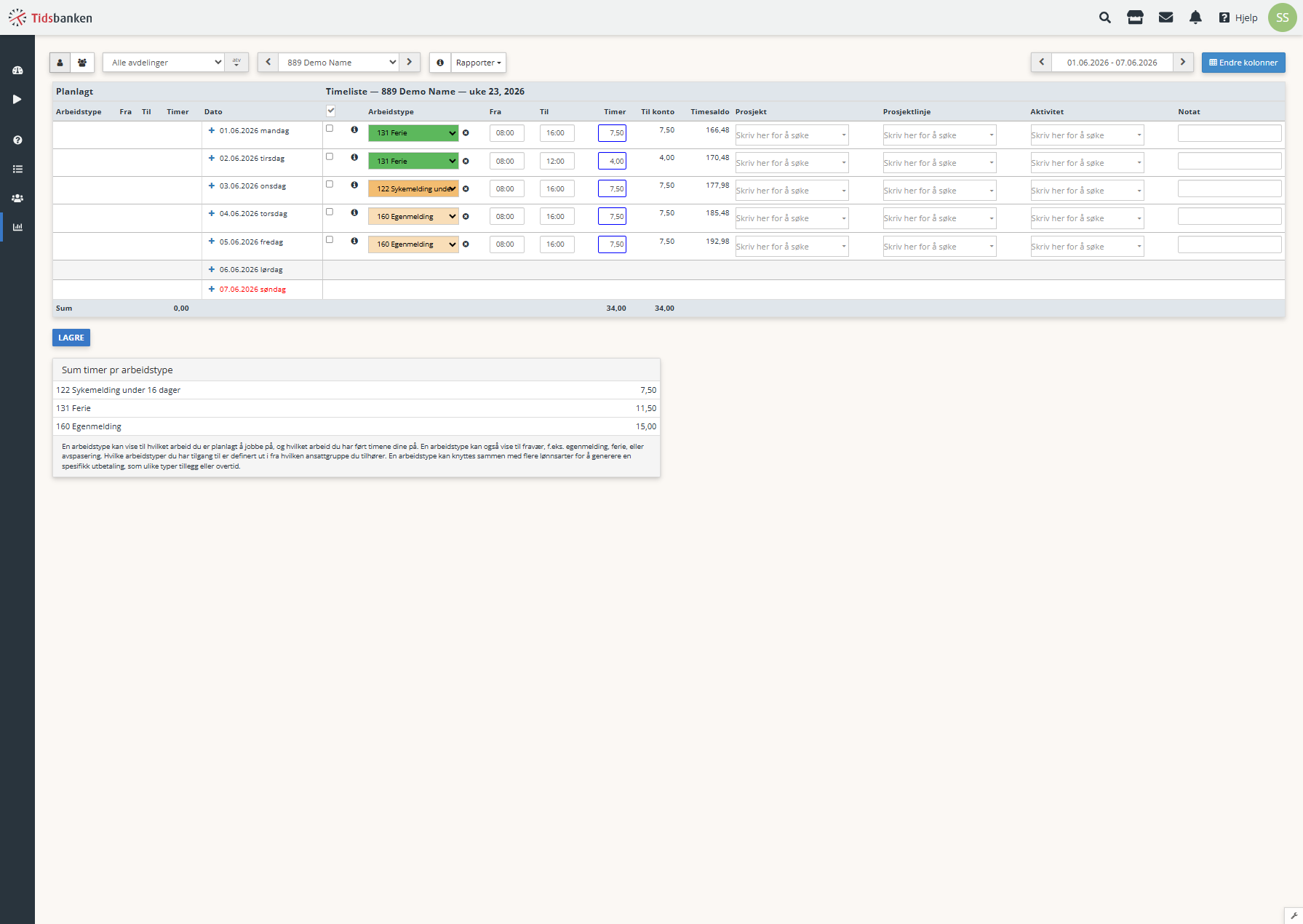 |
Tidsbanken-Specific Behavior
Because daily hours are calculated from the registered clock times, a partial day (e.g. a four-hour sick leave registered 08:00-12:00) is imported with its exact duration, and it starts a separate absence period from surrounding full days. The typical workflow is to run the import once per month, after the previous month's time entries are processed in Tidsbanken.
Related Articles
Was this article helpful?
That’s Great!
Thank you for your feedback
Sorry! We couldn't be helpful
Thank you for your feedback
Feedback sent
We appreciate your effort and will try to fix the article