Activate the Altinn functionality in Simployer Classic
This solution replaces the current company certificate used for receiving digital sick leave notifications and submitting follow-up plans.
In order to enhance our digital services, we are transitioning to a new system for managing sick leave notifications and follow-up plans. This change will streamline the process and improve efficiency for both employees and management. Here’s what you need to do to ensure a smooth transition.
1. The first step is for the Managing Director to log in to the Simployer portal. You can access the portal using the following link:https://altinn.simployer.com/companies
3. The organization number and company number must be registered in the organizational structure in Simployer Classic.
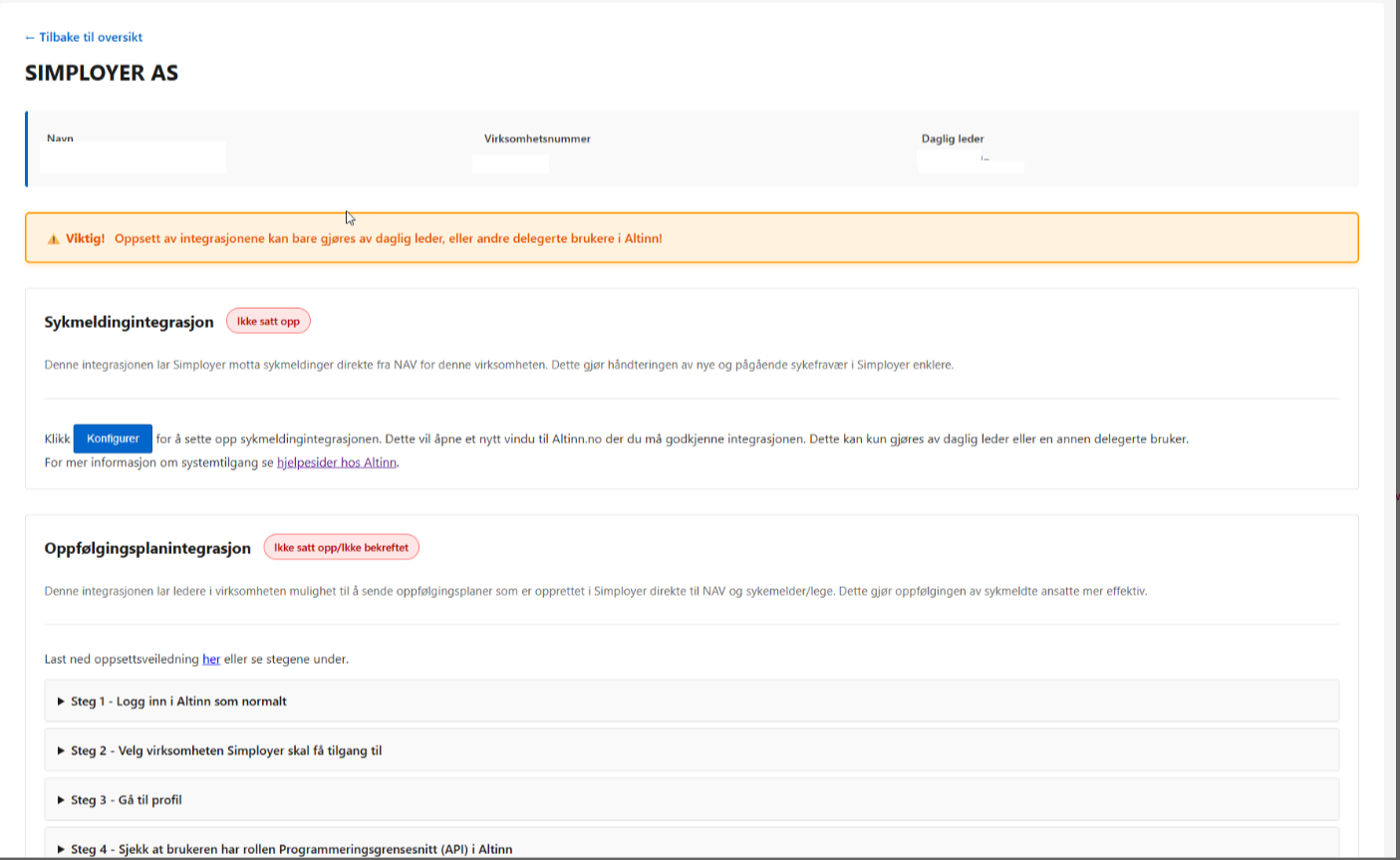
3. Once logged in, the Managing Director will find a user-friendly interface that guides you through the activation process. This includes connecting your company to the new functionality for receiving digital sick leave notifications and submitting follow-up plans.
When you follow the link it will be shown as this:
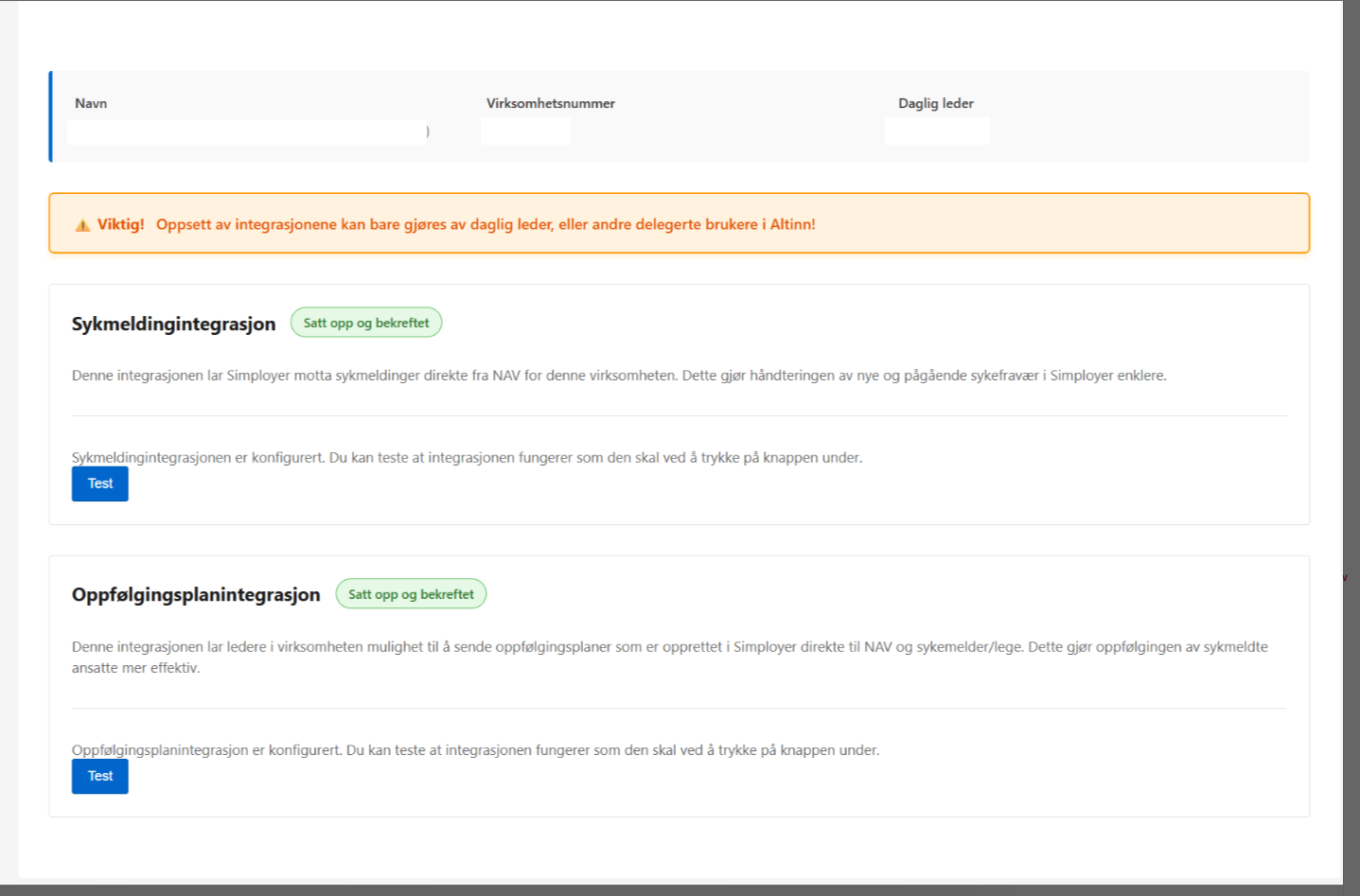
When you are finish it will look like this:
By following these steps, your company will be well-prepared to utilize the new digital functionalities effectively.
Was this article helpful?
That’s Great!
Thank you for your feedback
Sorry! We couldn't be helpful
Thank you for your feedback
Feedback sent
We appreciate your effort and will try to fix the article