This release brings three new workflow features: task comments, bulk delete, and draft saving - all aimed at giving HR admins and assignees more control and flexibility.
Task Comments
Assignees can now leave comments directly on their workflow tasks. This makes it easy to capture decisions, context, and conversations that previously happened outside the system - right where they belong.
Comments are visible to everyone with access to the workflow, including managers, administrators, and system owners, but only the assigned person can add, edit, or delete comments on their own tasks. This builds a clear audit trail across longer processes, so anyone picking up a task later can quickly understand what happened and why.
Read the full feature walkthrough here.
Bulk Delete Workflows
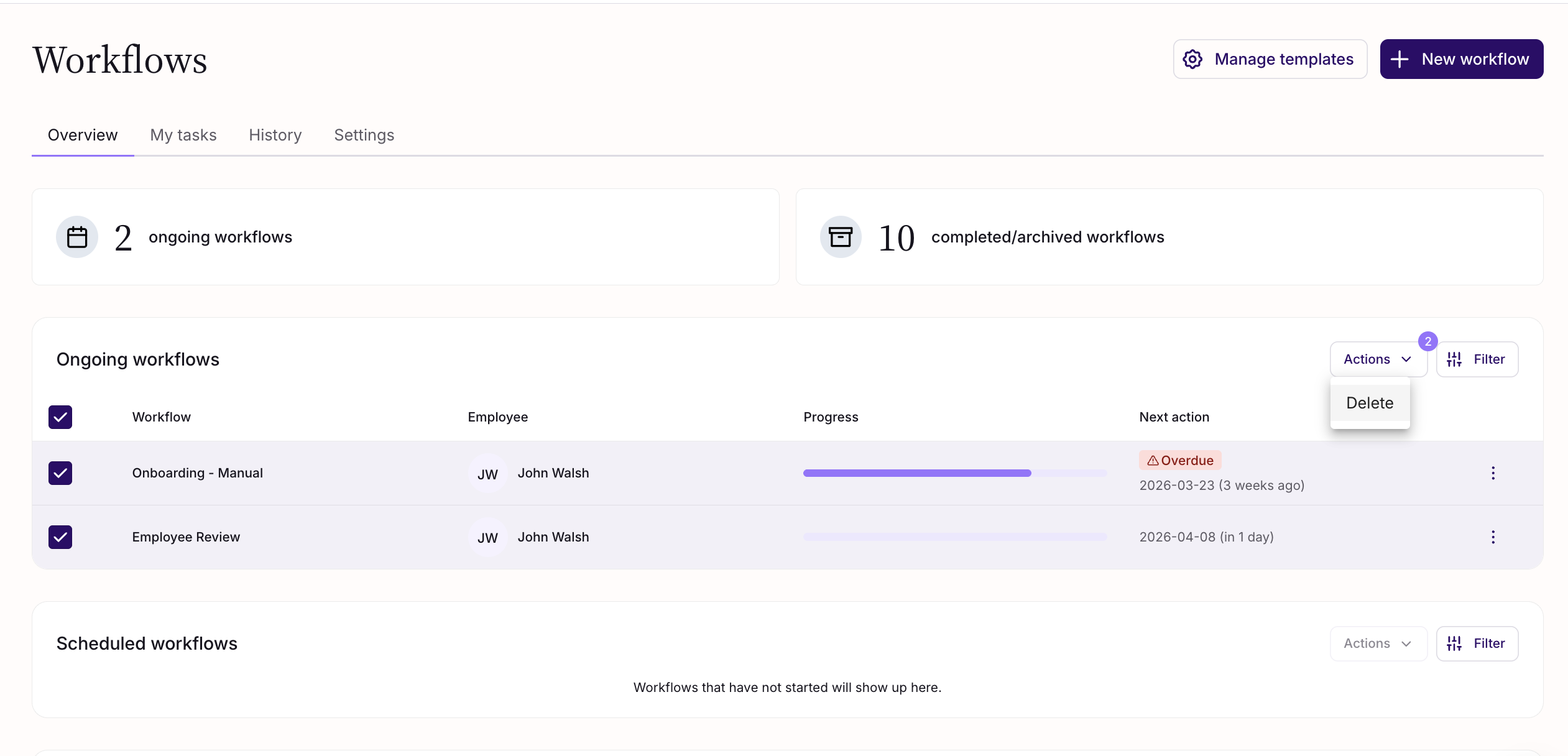
HR admins and owners can now select and delete multiple workflows at once. This is particularly useful when workflows are triggered incorrectly — sometimes in large volumes — removing the need to delete them one by one or reach out to Support.
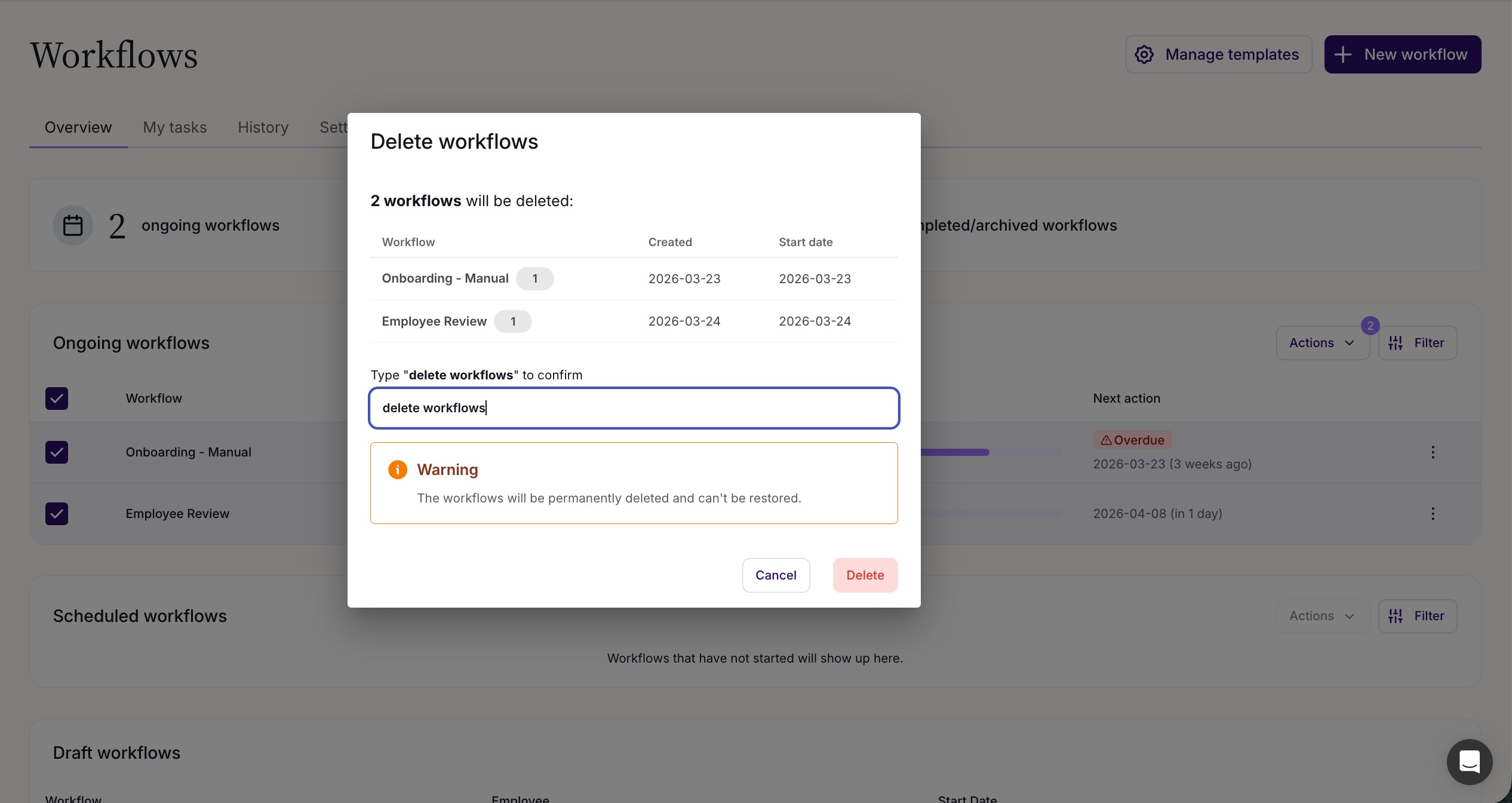
To delete workflows in bulk, select the workflows you would like to delete, then go to Actions -> Delete. Deleted workflows cannot be restored, so a confirmation step is required before any deletion is carried out.
Workflow Drafts
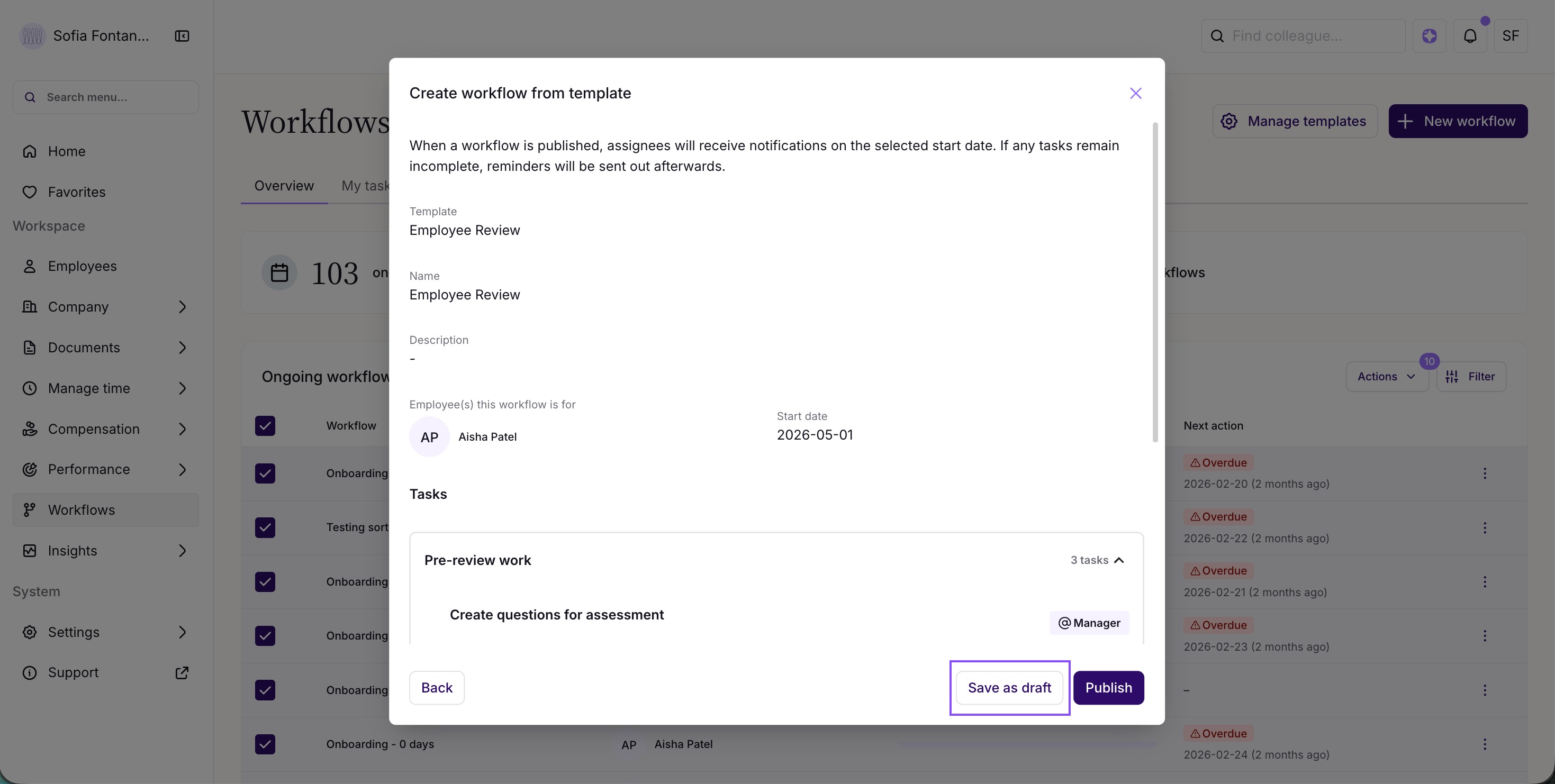
Workflows can now be saved as drafts instead of published immediately. When completing the last step of workflow creation, you can choose to save as a draft rather than go live.
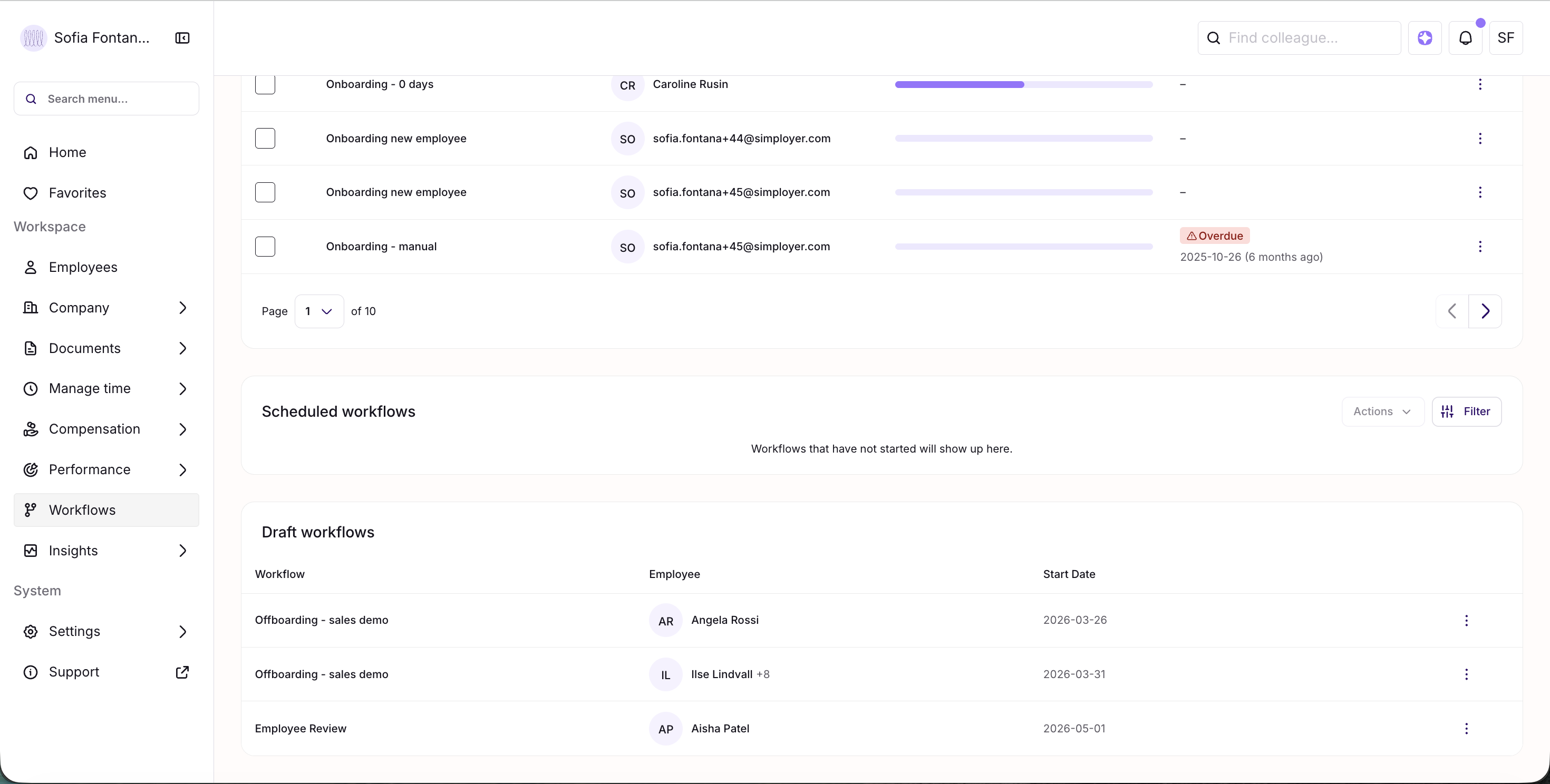
Draft workflows appear in a dedicated table at the bottom of the Workflow Overview tab. If there are no drafts, the table stays hidden. From there, HR admins can publish or discard drafts whenever they're ready.
Was this article helpful?
That’s Great!
Thank you for your feedback
Sorry! We couldn't be helpful
Thank you for your feedback
Feedback sent
We appreciate your effort and will try to fix the article