Turnover report
The turnover report shows how many employees and FTEs left the company during a time span:

As a default, the first columns show how many employees and FTEs have worked in the selected time frame, similar as in the FTE report:

We have now added a new option to the report, where you can choose to show the values at the start of the period, and not in the whole report period:
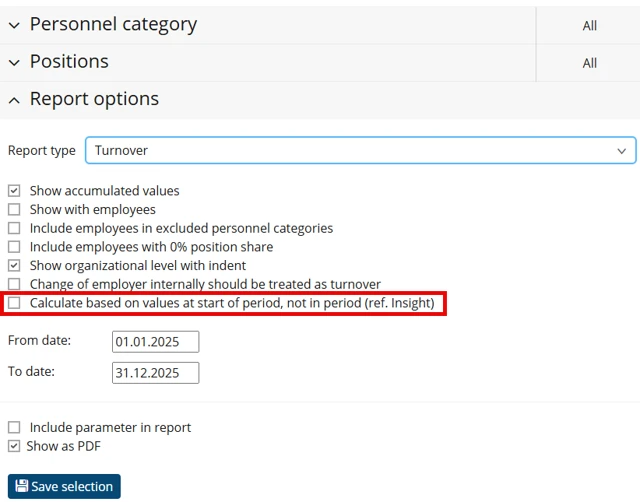
When you check this checkbox, the report will show how many employees and their FTEs were employed at the first day of the selected report period (01.01.2025 in this example).
The next columns shows the employees that have left the company during the selected report period:

If an employee has a future position in the company, the employee will not be included in the turnover report, even if there is a gap between the two employments. In the example in the picture above, the employee would not show in the report if she has a new employment starting 01.02.2026, even if this is later than the last date of the selected period (31.12.20205).
An employee will be included as long as the last date of employment is within the selected period. It doesn’t matter if the last date of employment is in the start or end of the period.
The FTE column shows the percentage of the position the employee had when she left. If the employee had a 30% position at the start of the period, and then went up to 100% later in the period, the report will show 100%. The idea here is to show how many FTEs that have to be replaced when people leave.
Was this article helpful?
That’s Great!
Thank you for your feedback
Sorry! We couldn't be helpful
Thank you for your feedback
Feedback sent
We appreciate your effort and will try to fix the article