Comments on Workflow Tasks
You can now add comments directly to your assigned workflow tasks. This gives you a place to log decisions, add context, or document actions taken right where the work is happening.
Who Can Use This Feature?
Comments can be added by the person assigned to the task. Anyone else with access to the workflow, including managers, HR administrators, and system owners, can read the comments but cannot add or edit them on tasks that are not assigned to them.
How to add a comment
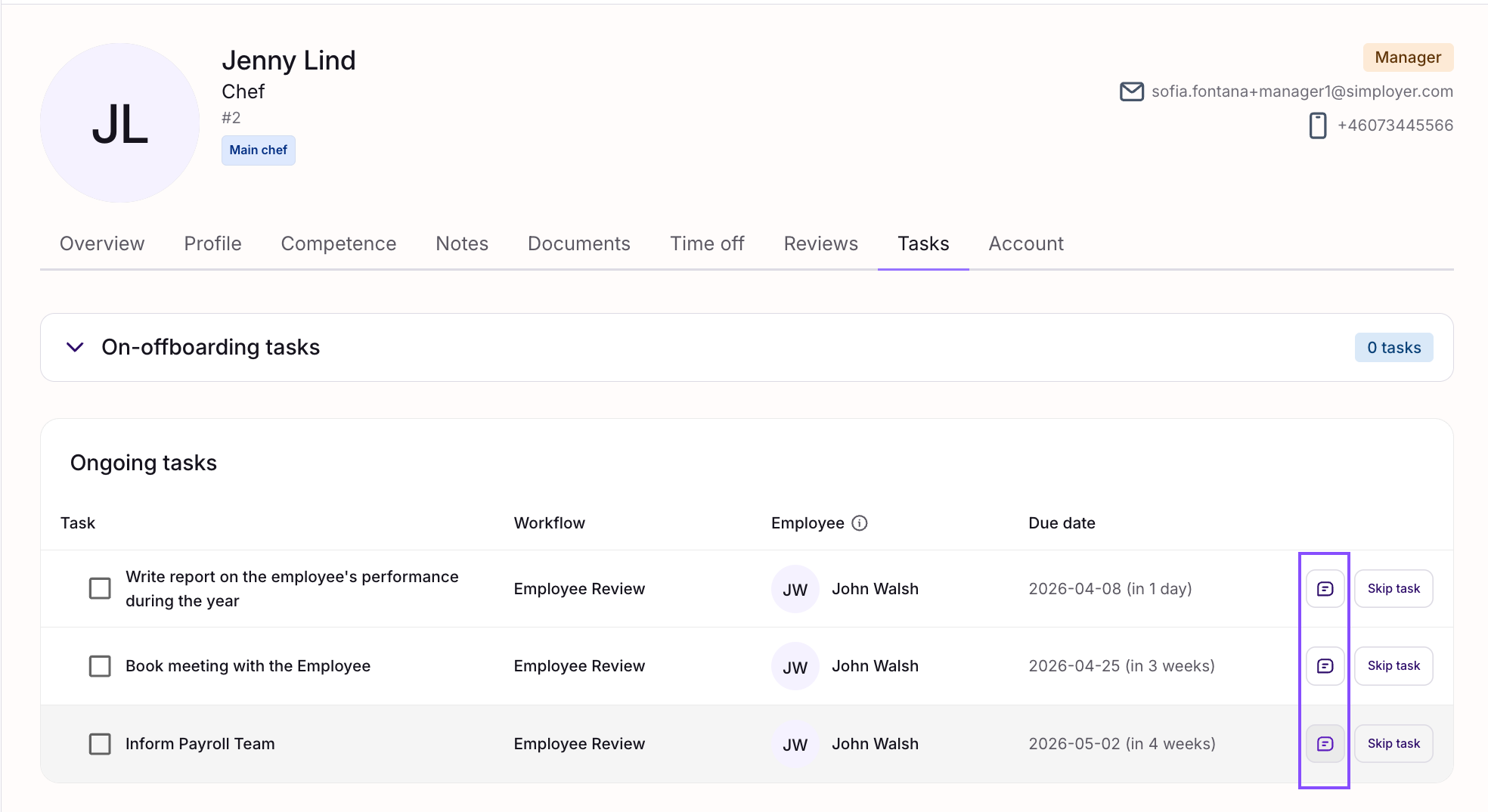
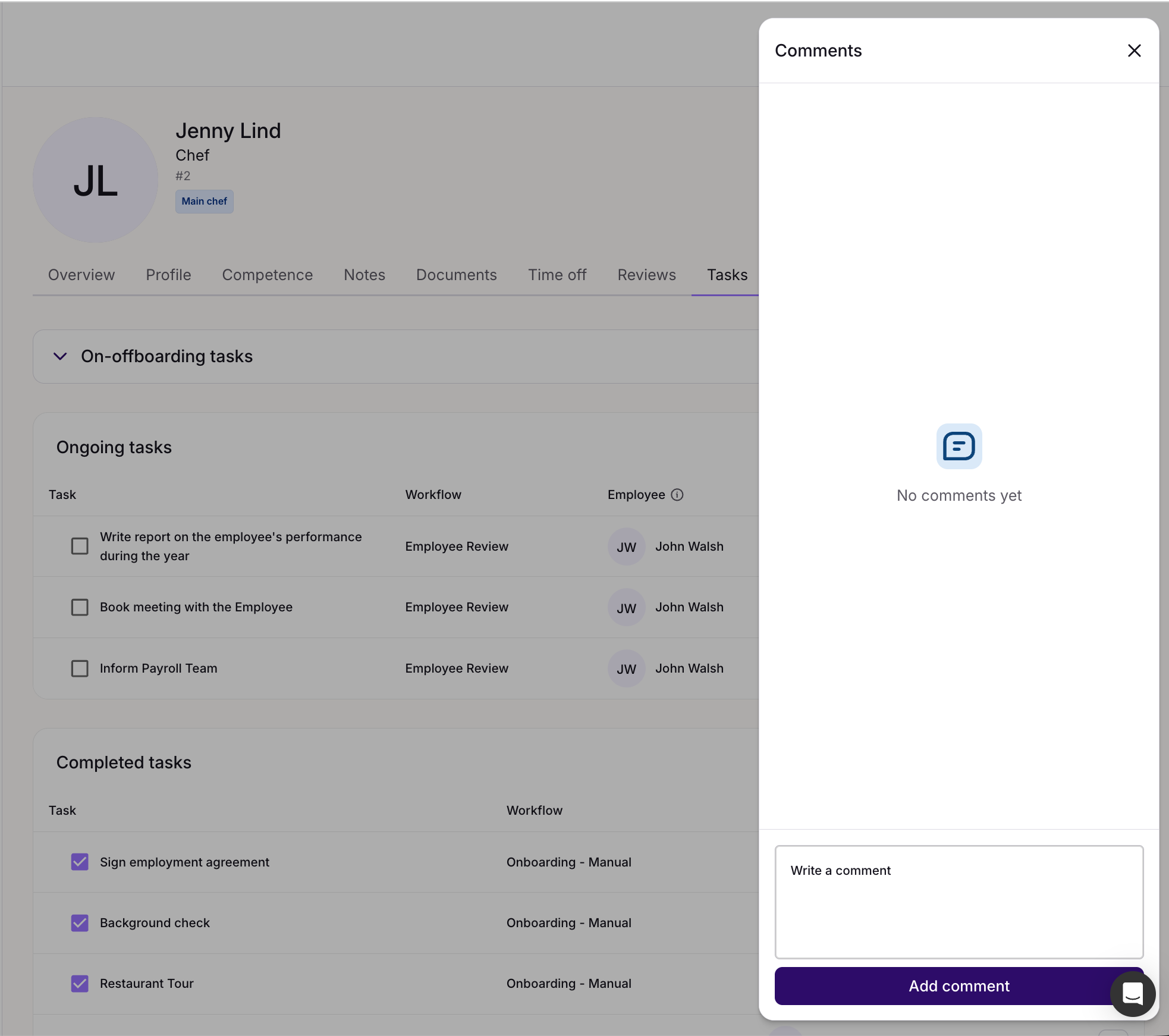
- Open the workflow task assigned to you.
- Find the comments field on the task.
- Type your comment and save.
Editing and deleting comments
You can edit or delete a comment you have written at any time. Find your comment on the task and use the edit or delete option available on the three-dots menu.
Why use comments?
Workflow tasks often involve decisions and conversations that happen outside the system: In emails, meetings, or over the phone. Comments give you a single place to capture that context so nothing gets lost and the full picture is easy to follow.
This is especially useful in longer processes where several people are involved at different stages. A comment history on each task means anyone picking up the process later can quickly understand what has happened and why.
Comments visibility
Comments are not private. Anyone with access to the workflow including your manager, HR administrators and system owners can read what you write. Only you, as the task assignee, can add, edit, or delete comments on your own tasks.
Was this article helpful?
That’s Great!
Thank you for your feedback
Sorry! We couldn't be helpful
Thank you for your feedback
Feedback sent
We appreciate your effort and will try to fix the article