The Salary Review module in Simployer One has been updated with several improvements designed to give planners and approvers the context and tools needed to make informed, consistent compensation decisions.
Employment and Compensation Information
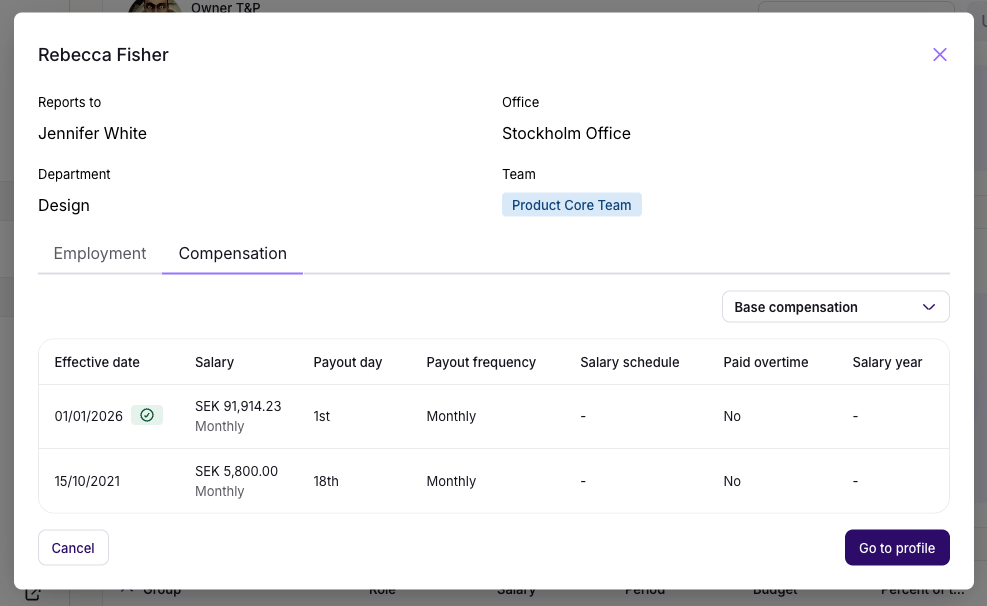
When clicking on the name of an employee in the table, relevant employment and salary details for each employee are now displayed, directly within the salary review interface. You no longer need to navigate to a separate system or profile to access this context when entering or reviewing a proposal.
This information is read-only and cannot be edited from within the salary review module. From this view, you can also navigate directly to the employee's full profile page if you need additional information.
Comments
A structured comments feature has been added to support communication between participants at each stage of the review. Comments are scoped by role and level, so each participant sees only what is relevant to them.
| Level | Who can comment | Who can read |
|---|---|---|
| Planner level | Planner (general or on submission); Approver (general or on approval/rejection) | Planner and their assigned Approver only |
| Approver level | Approver (on submission to Final Approver); Final Approver (on approval/rejection) | Approver and Final Approver |
| All levels | Final Approver and Owner | Full visibility across the entire workflow |
The Owner can substitute any participant in the workflow and retains full comment access when doing so. All comments are stored within the workflow and remain visible to relevant participants as a record for follow-up.

Multi-Step Approval
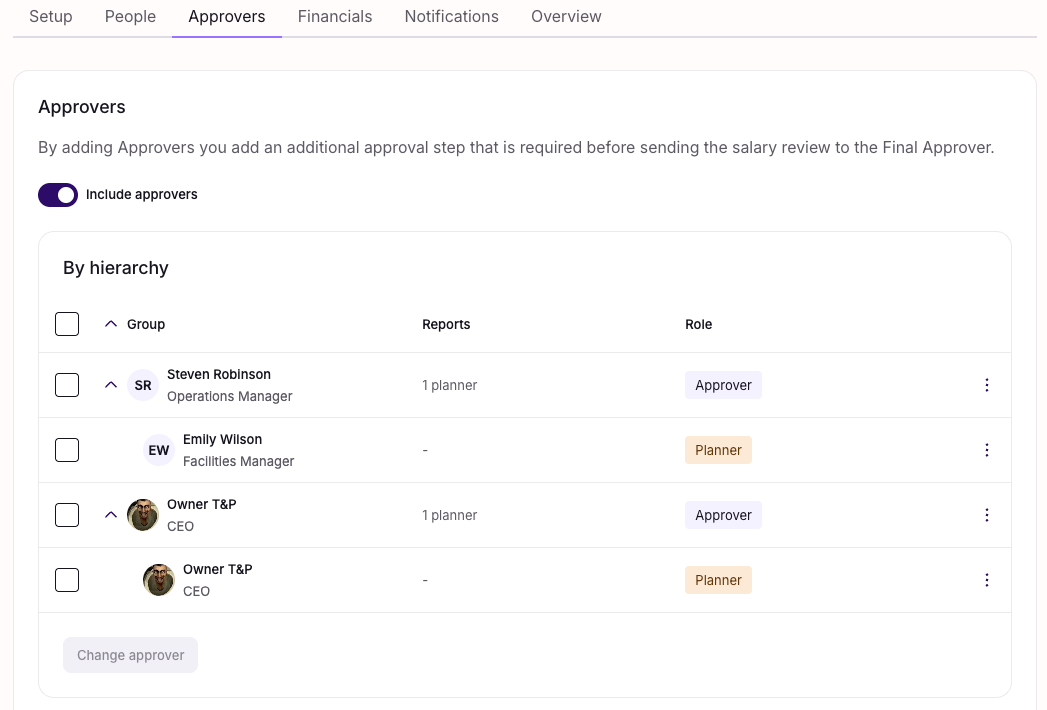
The approval process now supports an optional additional approver, positioned between the planner and the final approver. This is useful for organisations that require an extra level of oversight — for example, from an HR representative — before salary changes are finalised.
The additional approver is configured during review setup and is entirely optional. If no additional approver is assigned, the standard approval flow applies. Status tracking is available throughout, showing the current stage of each review at a glance.
Approval and Rejection Table
When reviewing proposals, a summary table now displays key information for each submission at a glance, including the review period, budget usage, salary increase percentage, compensation currency, and any comment submitted by the planner. This gives approvers the context they need to make decisions without having to open each proposal individually.

Customisable Email Notifications & Scheduling
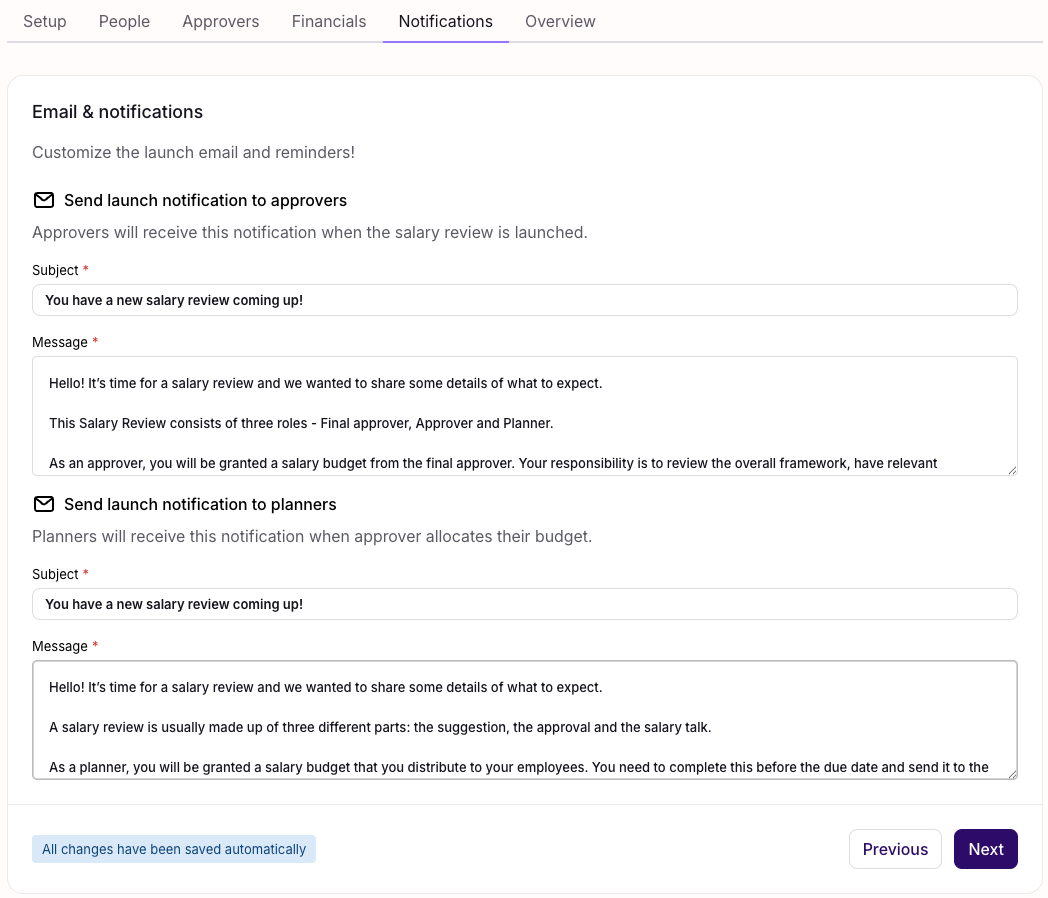
Email notifications sent to planners and approvers can now be customised directly within the module. For each notification, you can edit the subject line and message body to match your organisation's communication style. Changes are saved automatically.
Notifications for planners and approvers are scheduled independently, so each group receives their email at the most appropriate time for your process, rather than both being sent simultaneously at launch.
Additional Improvements
- Same person as planner and approver — The same individual can be assigned as both the planner and the approver, supporting smaller teams where one person manages the full review process.
- Data preservation between tabs — Data entered in the review interface is preserved when switching between tabs. Navigating away from one tab to another will not result in loss of unsaved input.
- Editable after creation — A salary review can be edited after creation up until its start date. Once the start date has passed, the review can no longer be modified.
- Participant substitution during active reviews — It is possible to change the assigned planner, approver, or final approver during an ongoing review if adjustments are needed.
Was this article helpful?
That’s Great!
Thank you for your feedback
Sorry! We couldn't be helpful
Thank you for your feedback
Feedback sent
We appreciate your effort and will try to fix the article