How do I add SSB code?
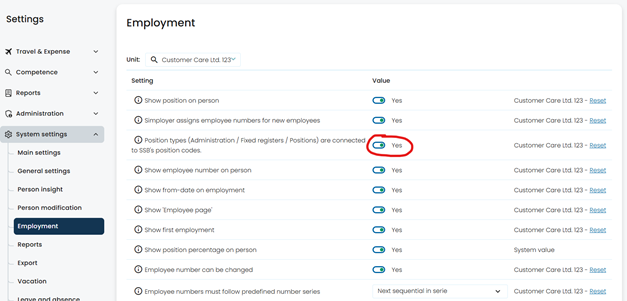
First, go to System Settings → Employment and set Position types to Yes.
Once that is done, go to Administration → Fixed registers → Positions. If you want to create a completely new position, click the plus (+) icon at the top of the page.
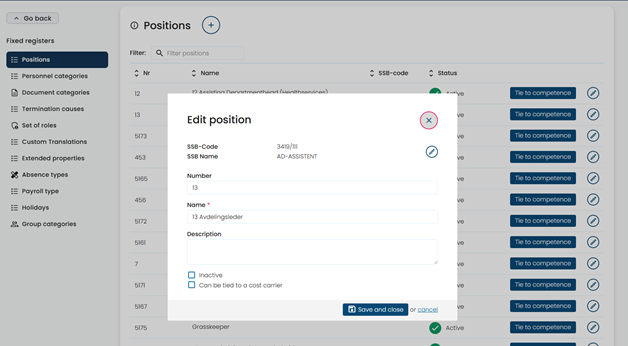
In the dialog box that appears, search the SSB register for the correct job title/code and select the appropriate entry.
Was this article helpful?
That’s Great!
Thank you for your feedback
Sorry! We couldn't be helpful
Thank you for your feedback
Feedback sent
We appreciate your effort and will try to fix the article