Go to your profile and navigate to Travel & Expenses → Expenses. Click the + icon to create a new expense report.
Once the expense report has been created, click the + icon within the report to add the individual expenses you have incurred.
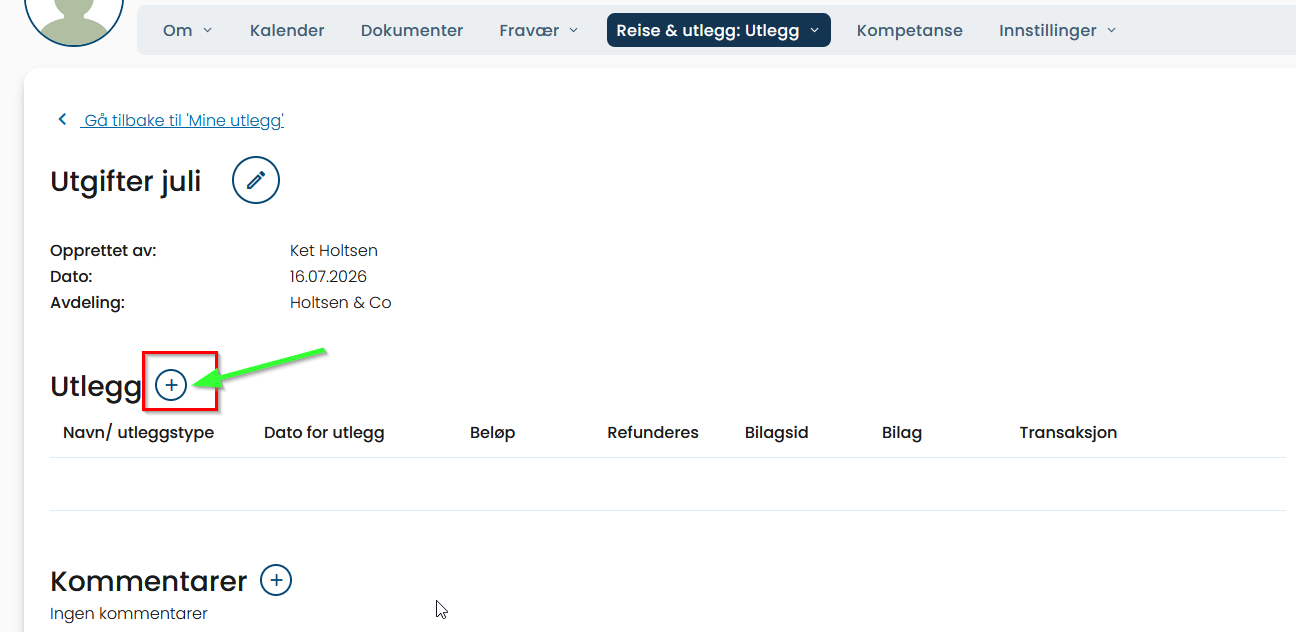
You can submit your expenses for approval immediately, or you can leave the expense report with the status Started and return later to add more expenses. This is useful if, for example, you submit expense reports once a month.
If you do not have access or receive an error message, please contact your manager or your company's system administrator for further assistance.
Was this article helpful?
That’s Great!
Thank you for your feedback
Sorry! We couldn't be helpful
Thank you for your feedback
Feedback sent
We appreciate your effort and will try to fix the article