By default, new employees can automatically receive access to the Travel and Expenses modules. This is controlled by a system setting.
Check the main setting
Navigate to:
System Settings → Travel and Expenses
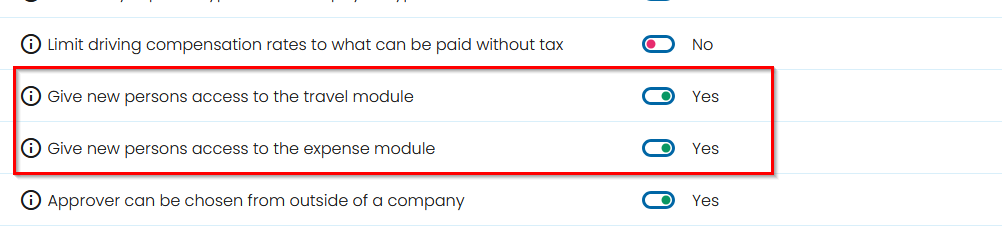
- Verify that the following settings are set to Yes:
- Give new persons access to the travel module
- Give new persons access to the expense module
When these settings are enabled, new employees will automatically receive access to the selected modules.
Result
New employees will automatically receive access to the Travel and/or Expenses module.
Note: If employees in a specific department do not receive access, the setting may have been overridden at unit level. See the article "New employees in a department do not automatically receive access to Travel and Expenses."
Was this article helpful?
That’s Great!
Thank you for your feedback
Sorry! We couldn't be helpful
Thank you for your feedback
Feedback sent
We appreciate your effort and will try to fix the article