Who can use bulk vacation registration (Masseregistrering av ferie)?
To register vacation for multiple employees at once in Simployer One, you need the Ferieadministrator role. Without this role, you do not have access to the Masseregistrering page.
Use bulk vacation registration when your company has a fellesferie (a collective vacation period) — for example, when the business closes for a set period and you want to register the same vacation dates for all or most employees in one operation.
Note: You can only register vacation for employees who do not already have a vacation application or approved vacation in the period you select. Employees who already have an application or approved vacation for that period are not available for selection.
Once you register vacation through bulk vacation registration, it is set to the status Godkjent (Approved) immediately. There is no separate approval step.
How do I register vacation for multiple employees at once?
- Go to Ferie > Masseregistrering.
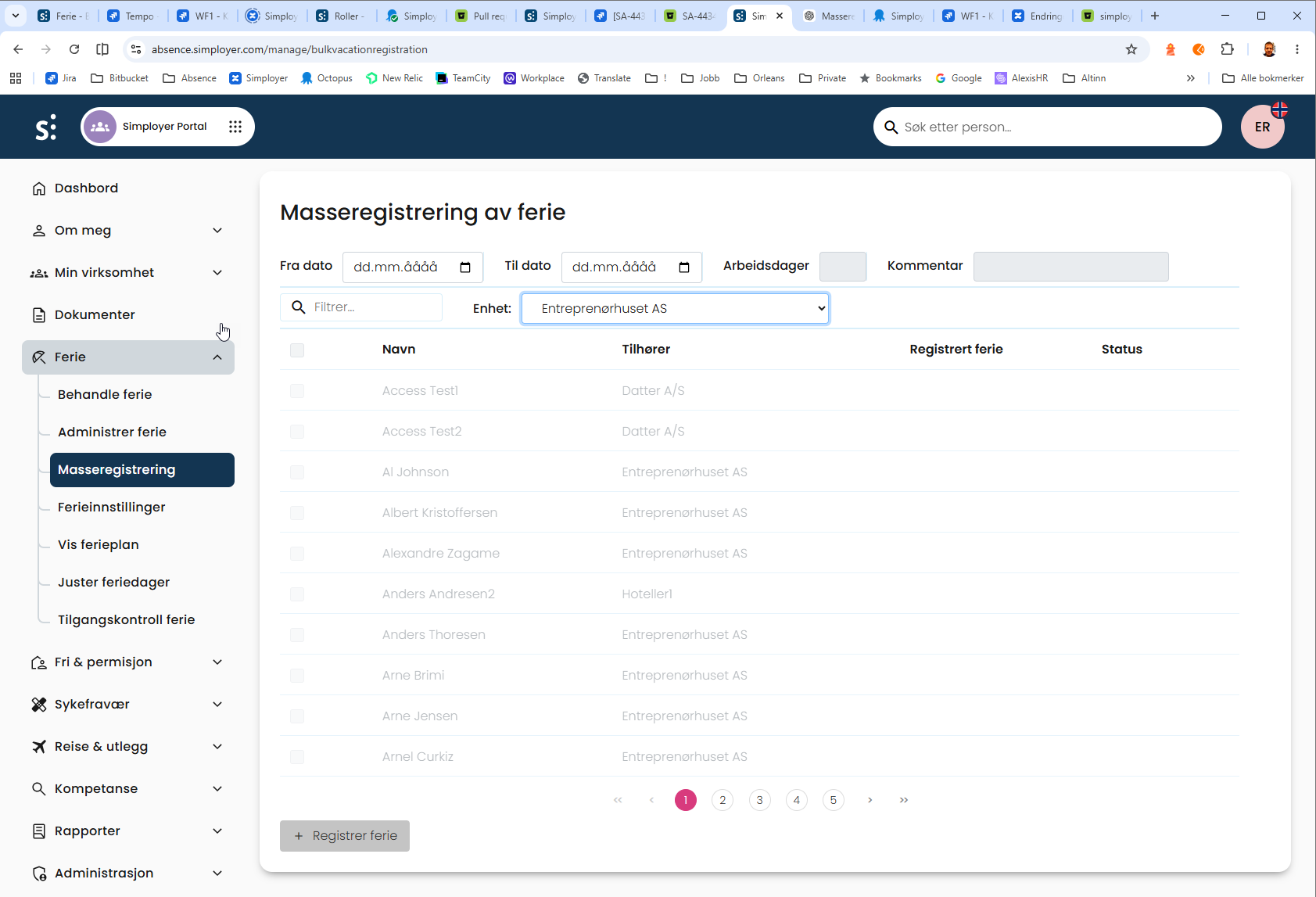
- In the Fra dato field, enter the start date of the vacation period.
- In the Til datofield, enter the end date of the vacation period.
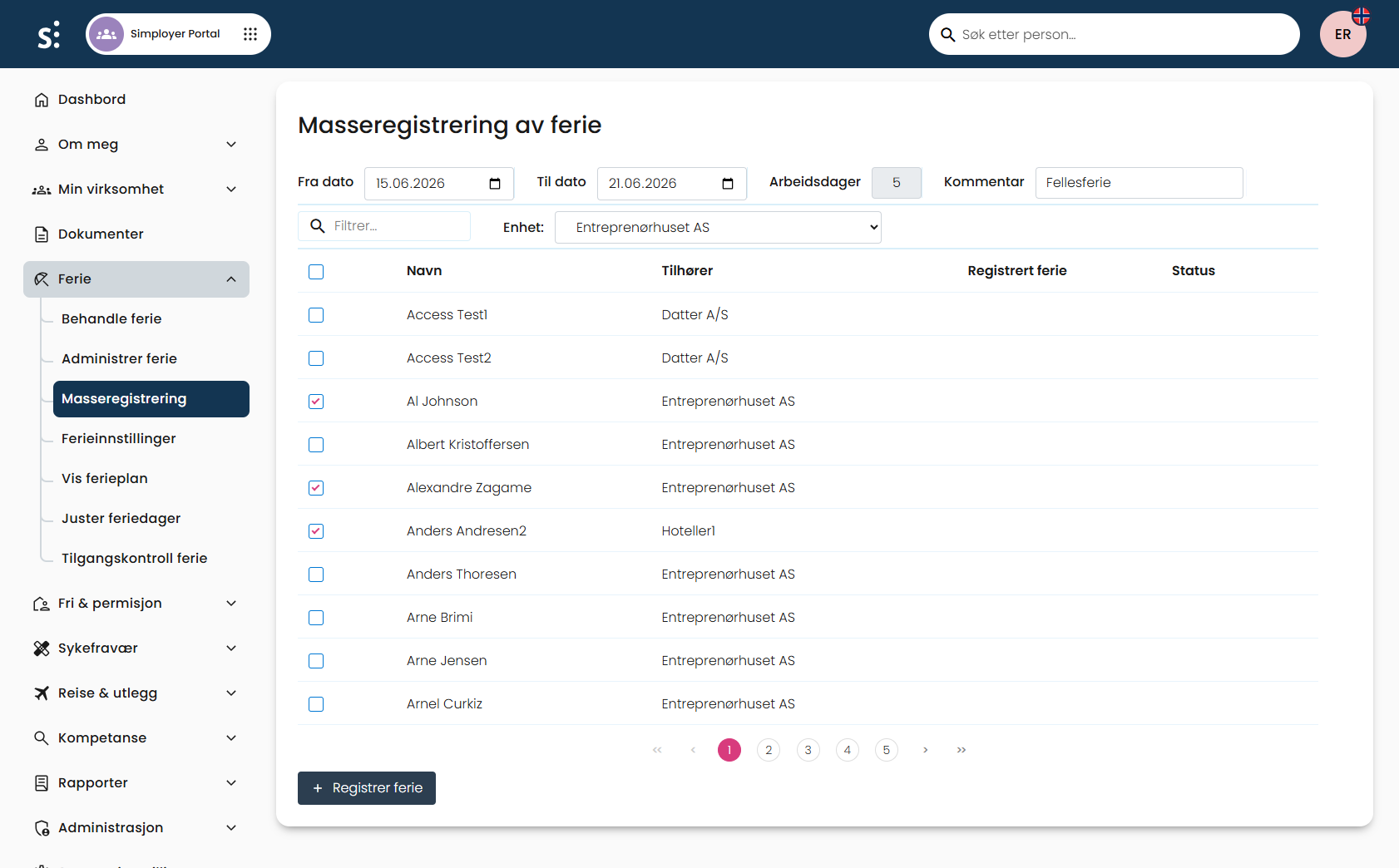
- Optional: In the Kommentar field, enter a comment. This comment is registered on every vacation record you create in this operation.
- Use the Enhet dropdown and the filter field to find the employees you want to register vacation for.
- Select the checkbox next to each employee you want to include. To select every employee currently shown, select the checkbox in the table header row.
- Select Registrer ferie.
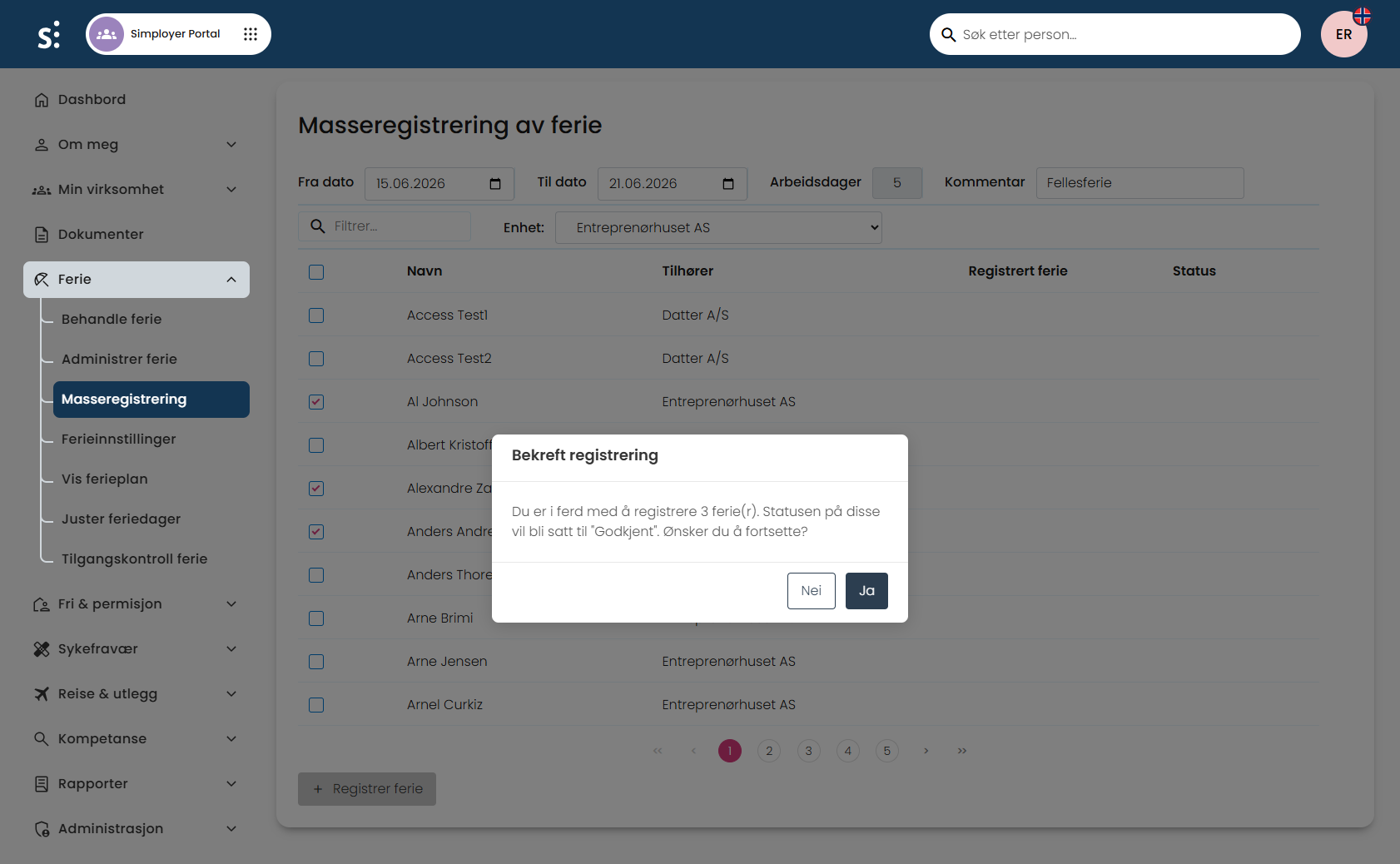
- In the Bekreft registrering dialog, review the number of vacation records you are about to create, then select Ja to confirm, or Neito cancel.
After you confirm, the list updates: each employee you registered vacation for now shows thevacation period in the Registrert ferie column and a status of Godkjent in the Status column.
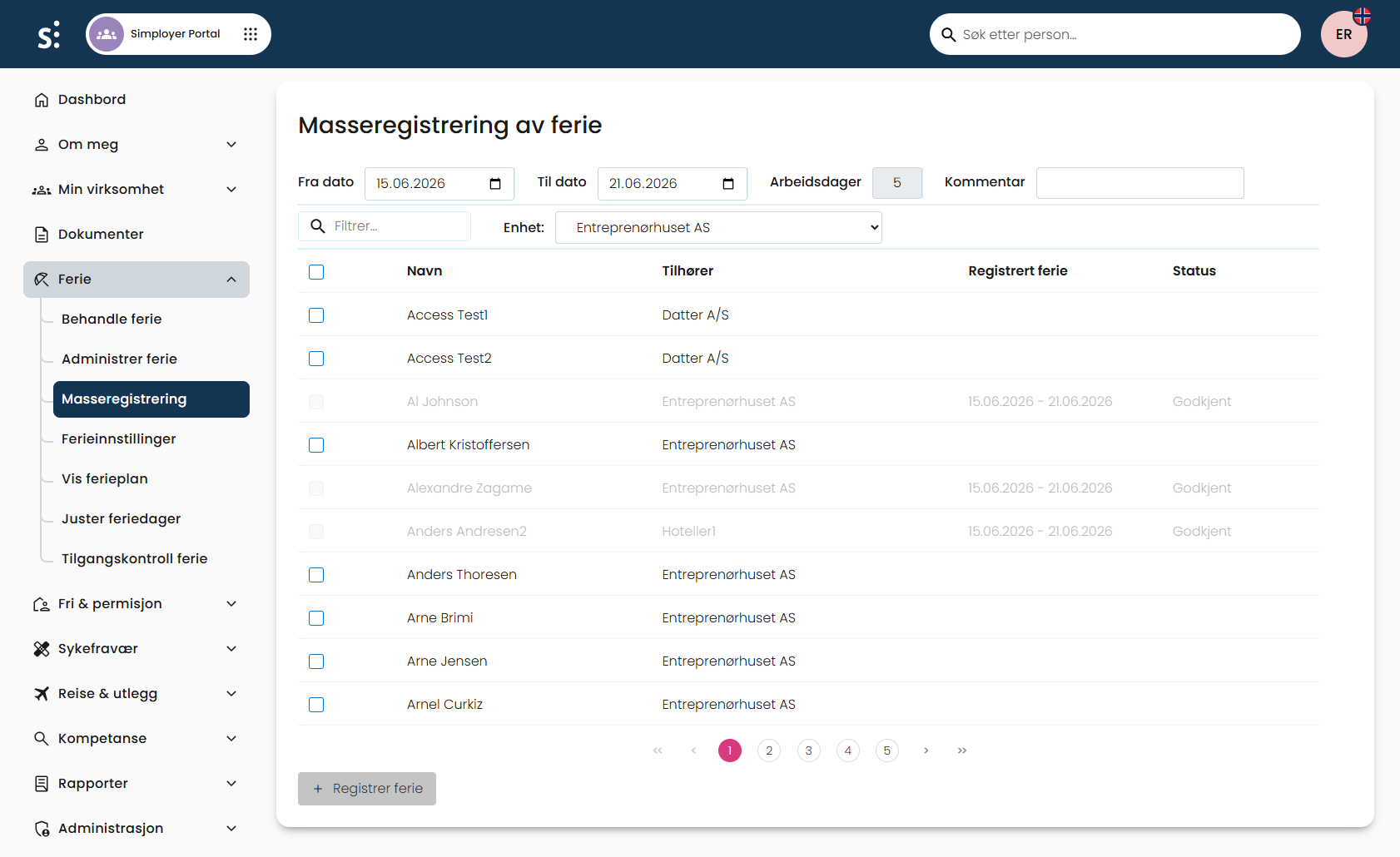
Employees who now have vacation registered for that period can no longer be selected for a new bulk registration covering the same period.
Was this article helpful?
That’s Great!
Thank you for your feedback
Sorry! We couldn't be helpful
Thank you for your feedback
Feedback sent
We appreciate your effort and will try to fix the article