When you ask Sia a question, you can see how it got the answer. Sia lists each step as it works, shows the sources behind the answer, and lets you rate it afterwards. This applies to Sia in the Simployer One web chat.
In short
- While Sia works, you see "Working on your question" and each step as it runs
- When the answer is ready, the steps fold into one line, such as "Completed 3 steps in 5 s"
- Under the answer, an "N sources" button lists the documents and data Sia used
- Numbers in the answer open the same list at the right source
How do I see what Sia is doing while it answers?
- Ask Sia a question in the chat
- Watch the line "Working on your question". A counter shows how many seconds have passed
- Below it, each step Sia takes appears as a card
Each card shows:
- A spinner while the step is running, and a check mark when it is done
- What Sia did, for example "Checked the vacation balance"
- The source Sia read, for example "Core HR", when the source is known
- The filters Sia used, such as a department or a date range
- The people or documents Sia found, as small buttons. Click one to open that person's record or that document
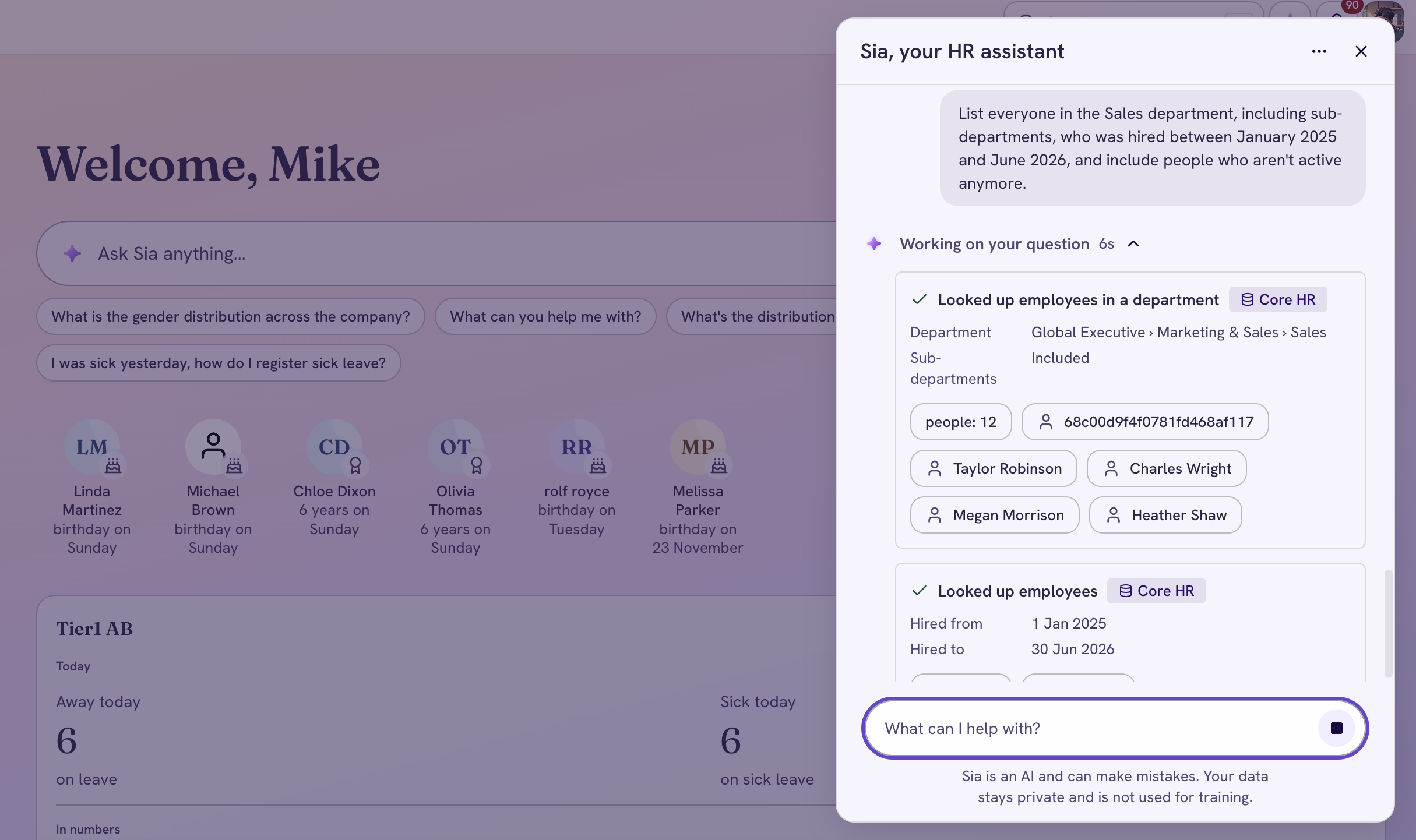
Sia working, with the steps open and a source badge and filters on a step
When Sia starts writing the answer, the steps fold into one line above it. The line says "Completed 3 steps in 5 s", with the number of steps and the time it took. Click the line to open the steps again.
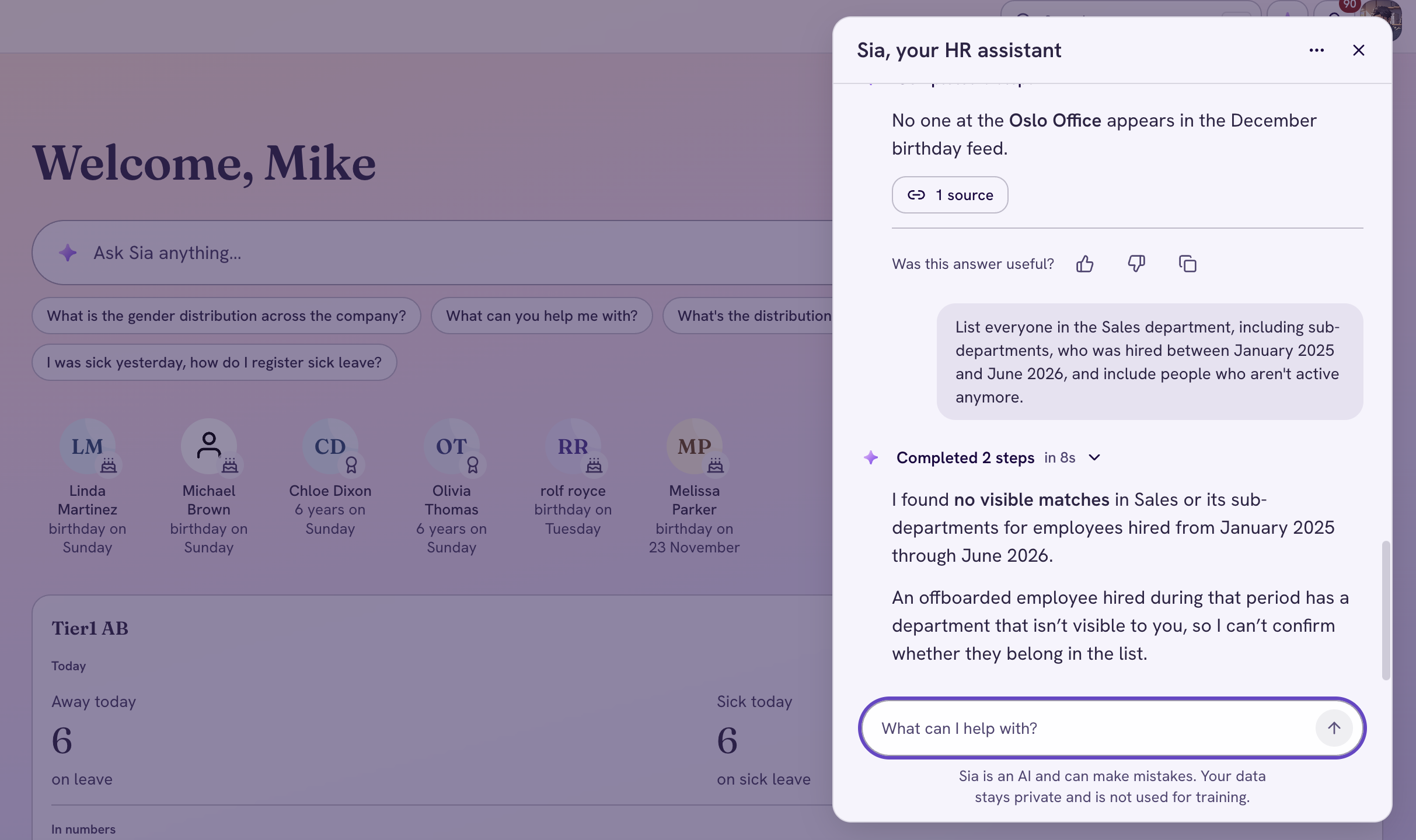
A finished answer with the "Completed 2 steps in 8s" line above it
How do I check where an answer came from?
Under the answer, the N sources button lists everything Sia used.
- Click N sources
- Read the numbered list. Documents Sia cited in the answer come first. Data sources that Sia read, such as Core HR, come after them
- Open a document from the list to read it
In an answer that quotes documents, such as a handbook answer, the quotes carry numbers. Click a number to open the list at that source. A screen reader reads it as, for example, "Source 1: Core HR".
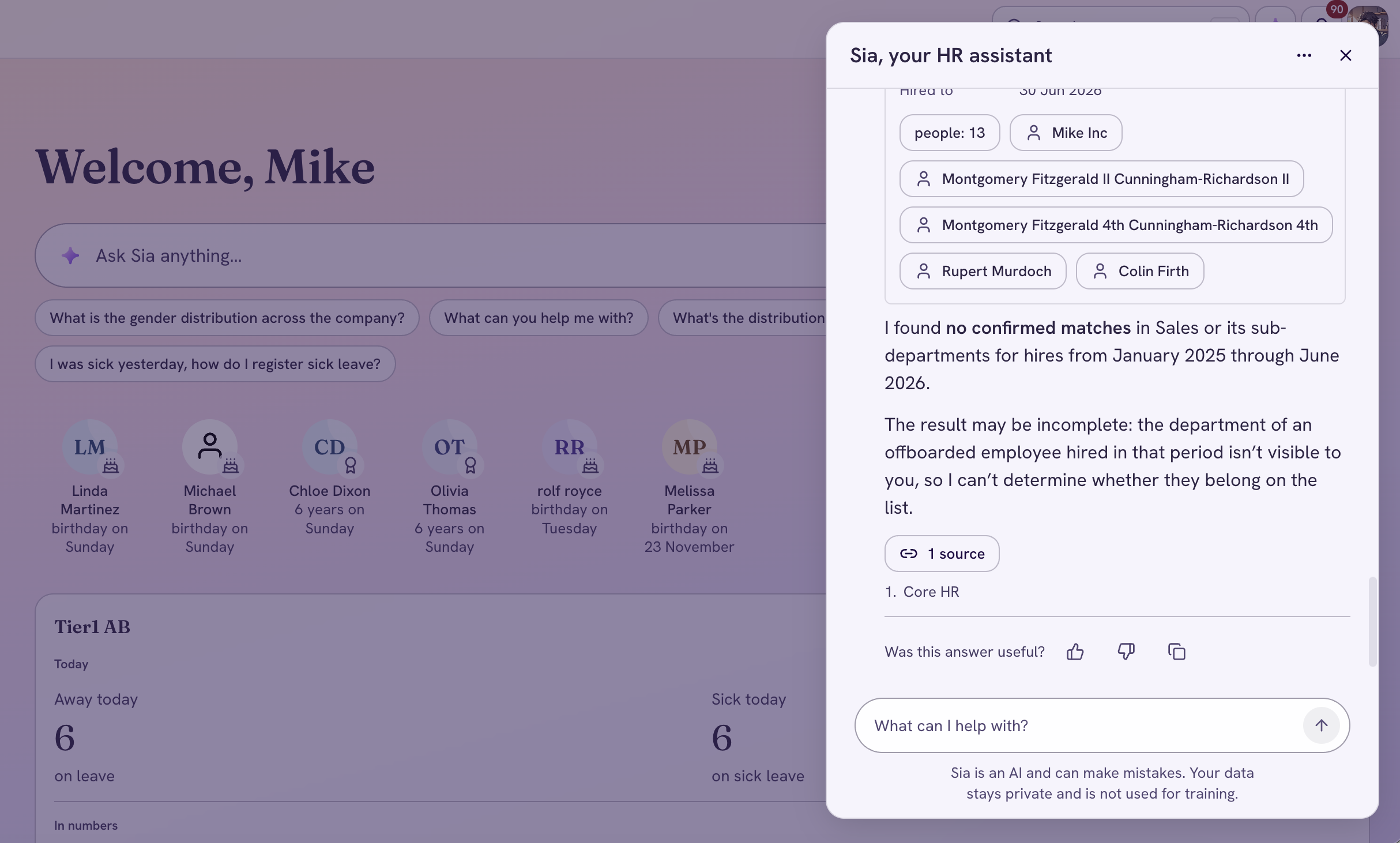
The open sources list, with the cited documents first and the data sources below
Tip: A document opens in the same tab, and the Sia chat stays open.
How do I rate an answer?
Every answer ends with the question "Was this answer useful?", the thumbs up and thumbs down buttons, and Copy. They are always visible, so you do not need to hover to find them. Your rating is about the answer, not the steps above it.
When you use Copy, the answer keeps the document titles instead of numbers like [1], so the text still makes sense when you paste it somewhere else.
FAQ's about how Sia shows its work
Why does a step have no source name?
Some data sources do not send their name to Sia yet. The step still shows what Sia did.
Why do I not see any steps for an answer?
Sia answered without looking anything up, so there were no steps to show.
Why does an older conversation show no steps?
Simployer One does not keep the steps once a conversation is closed. When you reopen it, the documents behind each answer are still in the N sources list, but the data sources and the steps are not.
Where did "My reasoning" go?
The steps that appear while Sia works replace it. They show what Sia actually did, step by step.
Do the steps show in my language?
Yes. The steps, the sources list and the feedback question follow the language you use in Simployer One.
Does this work in the Simployer app, Slack and Teams?
No. This applies to Sia in the Simployer One web chat. Sia in the app, Slack and Teams works as before.
Was this article helpful?
That’s Great!
Thank you for your feedback
Sorry! We couldn't be helpful
Thank you for your feedback
Feedback sent
We appreciate your effort and will try to fix the article