This change makes it clearer when self-certified absence (egenmelding) can be used, and when absence must be documented with a sick note instead. The goal is to give employees, managers, and administrators clearer guidance in the registration flow, while letting the business control whether employees are stopped once their egenmelding quota has been used up.
What is the "Begrens registrering av egenmeldt fravær for ansatte til kvoten" setting?
A new setting has been added: "Begrens registrering av egenmeldt fravær for ansatte til kvoten" (Limit registration of self-certified absence for employees to the quota).
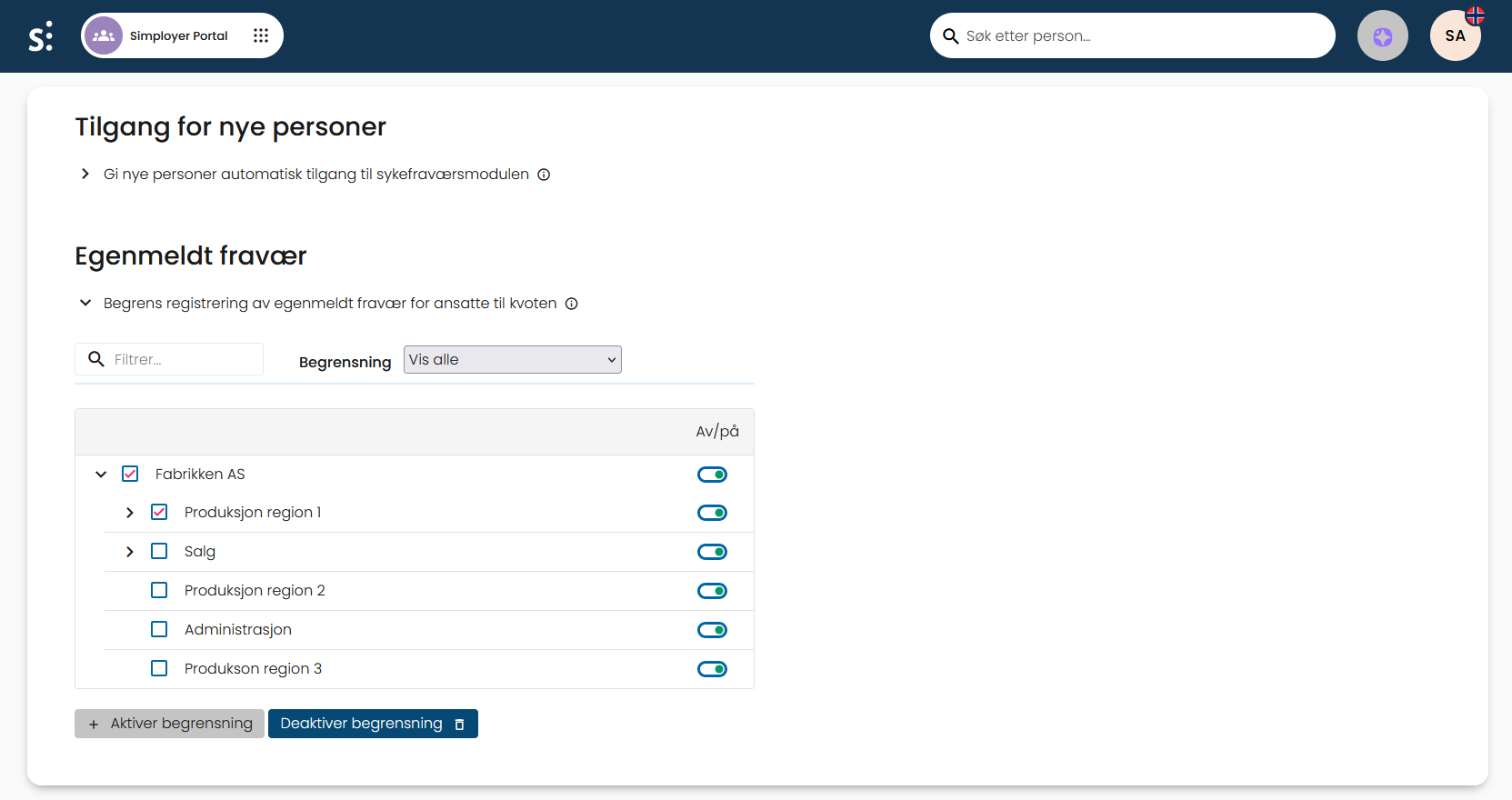
How does the egenmelding quota restriction affect employees?
When this setting is used, it changes what employees can do when registering self-certified absence (egenmelding):
- Employees who are not entitled to egenmelding, because the right has not been earned or has been lost, cannot select egenmelding
- Once the egenmelding quota has been used up and the setting is active, employees are blocked from registering new absence of the egenmelding type
How does the egenmelding quota restriction affect managers and administrators?
Managers and administrators can still register egenmelding even after the quota has been used up. Before the registration is completed, they must confirm the choice. The same confirmation step applies if the documentation type is changed to egenmelding after the quota has already been used up.
The confirmation step makes it clear that the registration is being made despite the quota being exceeded, and helps ensure that exceptions are handled deliberately.
Where can I see egenmelding quota usage in the absence view?
Information about egenmelding now appears more consistently in dialogs and overviews within the absence record. Users can see the number of days and cases used against the quota as neutral information, regardless of whether the action is blocked or only requires confirmation.
Was this article helpful?
That’s Great!
Thank you for your feedback
Sorry! We couldn't be helpful
Thank you for your feedback
Feedback sent
We appreciate your effort and will try to fix the article